

App discovery
App discovery
App discovery starts from one domain and builds an inventory of the internet-facing hosts behind it. You get the subdomains of that domain, related domains that belong to the same company, and for each host what it appears to be, how exposed it looks, and how often it turns up in breach records. From the inventory you create applications for the hosts you want to test, and start scans from there.
In the dashboard: Source intelligenceApp discovery
Open App discovery (opens in a new tab)Nothing is scanned as a result of a discovery run. Discovery tells you what is out there. You choose what to test.
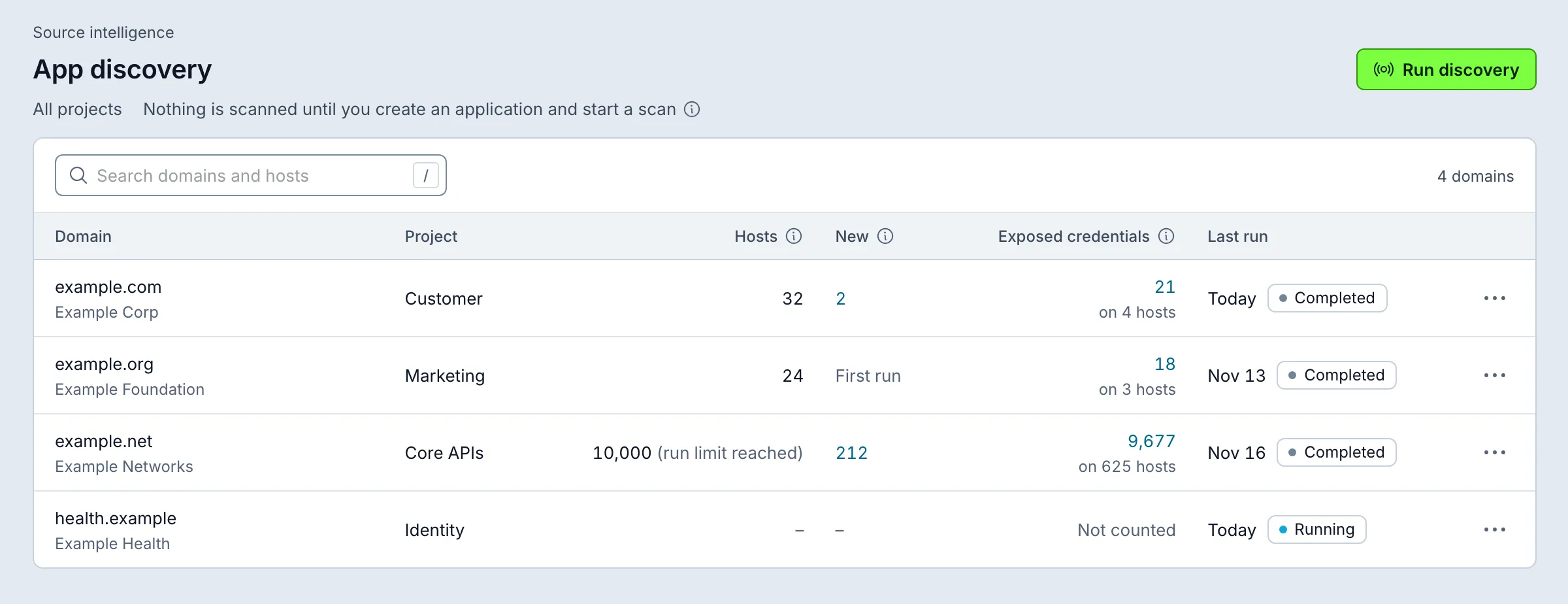
Where to find it
Section titled “Where to find it”In the dashboard rail, open App discovery under Source intelligence. The page lists every domain your organization monitors. Select a domain to open its inventory.
| To do this | Go to |
|---|---|
| Start a run, follow it, and read what it changed | Running a discovery |
| Read the inventory: tabs, filters, exposure, exposed credentials | Reading the inventory |
| Turn discovered hosts into applications and scan them | Creating applications |
| Find a quick answer | FAQ |
Why use it
Section titled “Why use it”You cannot test what you do not know about. Most companies have more public hosts than anyone has a list of: a staging environment that was never taken down, an admin console on a forgotten subdomain, a product from an acquisition still running on its original domain. These hosts are rarely on the list the security team works from, so they are rarely tested.
App discovery builds that list from public sources, checks each host, and keeps the result as a living inventory you can run again. Every host carries the evidence behind it: which source found it, whether it answered, what it appears to be, and how its exposure was scored.
Hosts and applications
Section titled “Hosts and applications”A discovered host is not an application until you create one. The inventory can hold hosts you do not own, and an application is a decision to scan something, so nothing moves from one to the other without you saying so.
The dashboard says “application” for the thing you scan. The API and CLI call the same thing a target, which is why the API endpoint that creates applications from hosts is named create-targets.
What a run does
Section titled “What a run does”A run works through eight phases. The run page names each one as it happens.
| Phase | What it does |
|---|---|
| Setup | Normalizes the domain and works out the company behind it. |
| Subdomain enumeration | Collects hostnames under the domain from public sources: certificate transparency logs, passive DNS, web archives and public records. |
| Probing hosts | Requests each hostname over HTTP, follows redirects, and records what came back. |
| Sibling discovery | Looks for other domains the same company owns, such as subsidiaries, acquisitions and rebrands. |
| Sibling confirmation | Weighs the evidence that a related domain belongs to the same company, and confirms only the ones that clear the bar. |
| Report | Assembles the inventory, scores every host, and stores the result. |
| Classification | Gives each live host a category such as Login portal or Admin panel. See Categories. |
| Exposed credentials | Counts how often each confirmed host appears in a breach and infostealer corpus. See Exposed credentials. |
The run is complete when the report is stored. Classification and the exposed credentials count run after that and add to the inventory.
What discovery sends to your infrastructure
Section titled “What discovery sends to your infrastructure”Subdomain enumeration is passive. It reads public records and does not touch the hosts it names. The later phases do contact them.
- Probing sends an ordinary HTTP request to every hostname found, HTTPS first and then HTTP, follows the redirect chain, and reads the response.
- Sibling confirmation fetches the homepage, favicon and TLS certificate of hosts under your domain and of each related domain, because those are the fingerprints it compares.
- On live hosts that belong to the estate, probing also requests a small, fixed set of well-known paths that reveal a misconfiguration when they are readable:
/.git/HEAD/.env/server-status/actuator/env/.well-known/security.txt/robots.txtEach one is confirmed by its content, not its status code, so a site that returns 200 for everything does not produce false signals. This is a bounded check, not a scan. There is no fuzzing, no sign-in attempt, no port scanning and no attack payload.
“Belongs to the estate” means every host under the domain you gave, plus a related domain once confirmation has found strong infrastructure matches for it. An unconfirmed related domain may not be yours, so it gets the ordinary probe and nothing more.
The exposed credentials phase sends nothing to your hosts. It asks a third-party corpus for counts. No record, account or password is retrieved or stored.
Availability
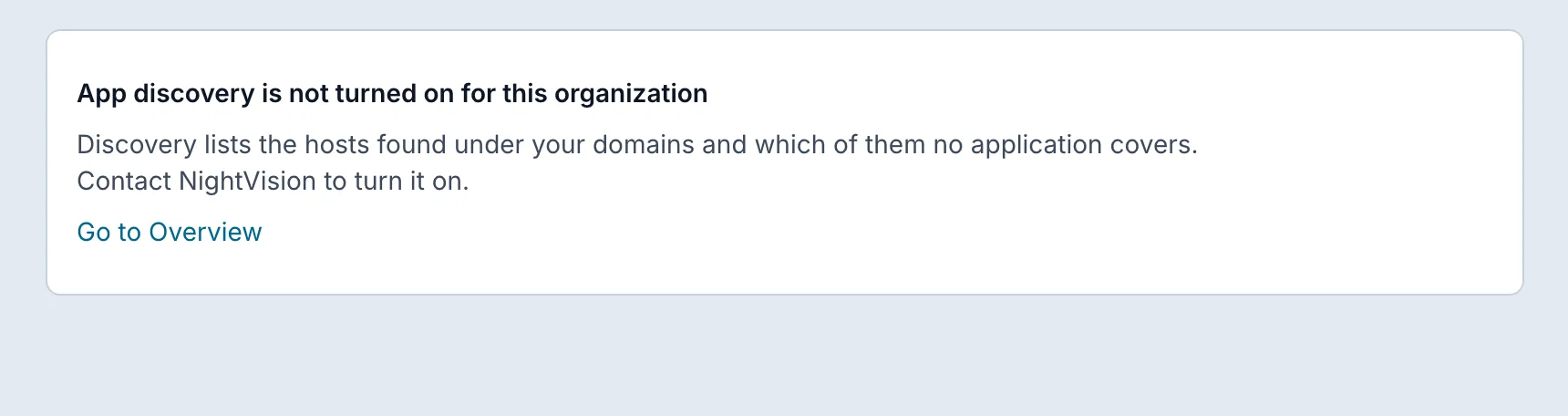
Section titled “Availability”App discovery is part of the Professional and Enterprise plans for team organizations. It is off for personal organizations and for trials. NightVision can turn it on or off for a specific organization, so contact NightVision if you want to try it.
When your organization has App discovery, it appears in the rail. When it does not, the rail entry is hidden, and opening a discovery link shows why.
What each role can do
Section titled “What each role can do”| Action | Org Admin | Project Manager | Scan Operator | Read-Only |
|---|---|---|---|---|
| View domains, inventories and runs | Yes | Yes | Yes | Yes |
| Run discovery on a new domain | Yes | Yes | No | No |
| Run discovery again on a monitored domain | Yes | Yes | Yes | No |
| Stop a run | Yes | Yes | Yes | No |
| Classify hosts, set a category, mark key assets | Yes | Yes | No | No |
| Create applications | Yes | Yes | No | No |
| Start scans | Yes | Yes | Yes | No |
| Delete a domain | Yes | Yes | No | No |
Roles apply per project. A new domain’s inventory is created inside a project, so starting one needs permission to change that project. Running a monitored domain again needs only the permission to run discovery.
Most controls your role cannot use are hidden. The key asset star and the Category field stay visible and are disabled. See Members, roles and groups for how roles are assigned.
From the API
Section titled “From the API”Everything on these pages is available through the REST API under /api/v1/discovery/. In the API a monitored domain is a scope, and a discovered host is an application inside it.
| Task | Endpoint |
|---|---|
| List monitored domains | GET /api/v1/discovery/scopes/ |
| Start a run on a new domain | POST /api/v1/discovery/runs/trigger/ |
| Run a monitored domain again | POST /api/v1/discovery/scopes/{id}/trigger-run/ |
| Read a run, its activity log, or stop it | GET /api/v1/discovery/runs/{id}/, GET .../events/, POST .../cancel/ |
| List a domain’s runs | GET /api/v1/discovery/scopes/{id}/runs/ |
| List and filter a domain’s hosts | GET /api/v1/discovery/scopes/{id}/applications/ |
| Count hosts by category, exposure and coverage | GET /api/v1/discovery/scopes/{id}/stats/ |
| Classify hosts, or set a category by hand | POST /api/v1/discovery/scopes/{id}/classify/, POST .../categorize/ |
| Mark key assets | POST /api/v1/discovery/scopes/{id}/key-assets/ |
| Create applications from hosts | POST /api/v1/discovery/scopes/{id}/create-targets/ |
| Delete a domain | DELETE /api/v1/discovery/scopes/{id}/ |
Authenticate with an API token. See the API overview for request conventions.