

Authentication
Extra headers
Some applications expect a header or cookie on every request that has nothing to do with signing in: a tenant id, a feature flag, a header your firewall or CDN trusts, a tracing id. Extra headers are fixed name and value pairs you attach to an application. Every scan of that application sends them with every request, on top of its authentication.
In the dashboard: Authentications
Open Authentications (opens in a new tab)Extra headers or an authentication?
Section titled “Extra headers or an authentication?”| Property | Extra headers | Header or cookie authentication |
|---|---|---|
| Belongs to | One application | A project, and any applications you assign it to |
| Sent when | Every scan of the application, with or without an authentication | Only when the scan uses that authentication |
| Value | Shown in the dashboard | Stored encrypted and never shown again |
| Use it for | Values that are the same for every user: X-Tenant: example-corp, a firewall bypass header |
Values that identify a signed-in user: a bearer token, a session cookie |
Extra header values are stored and shown as you enter them. Put secrets such as tokens and API keys in a header authentication instead.
Add an extra header
Section titled “Add an extra header”Extra headers are available on web and API applications.
- Open the application from Applications.
- On the Setup tab, under More settings, select Extra headers. A side panel opens.
- Select Add Extra Header.
- Under Type, choose Header or Cookie.
- Enter the name and the value, then select Add.
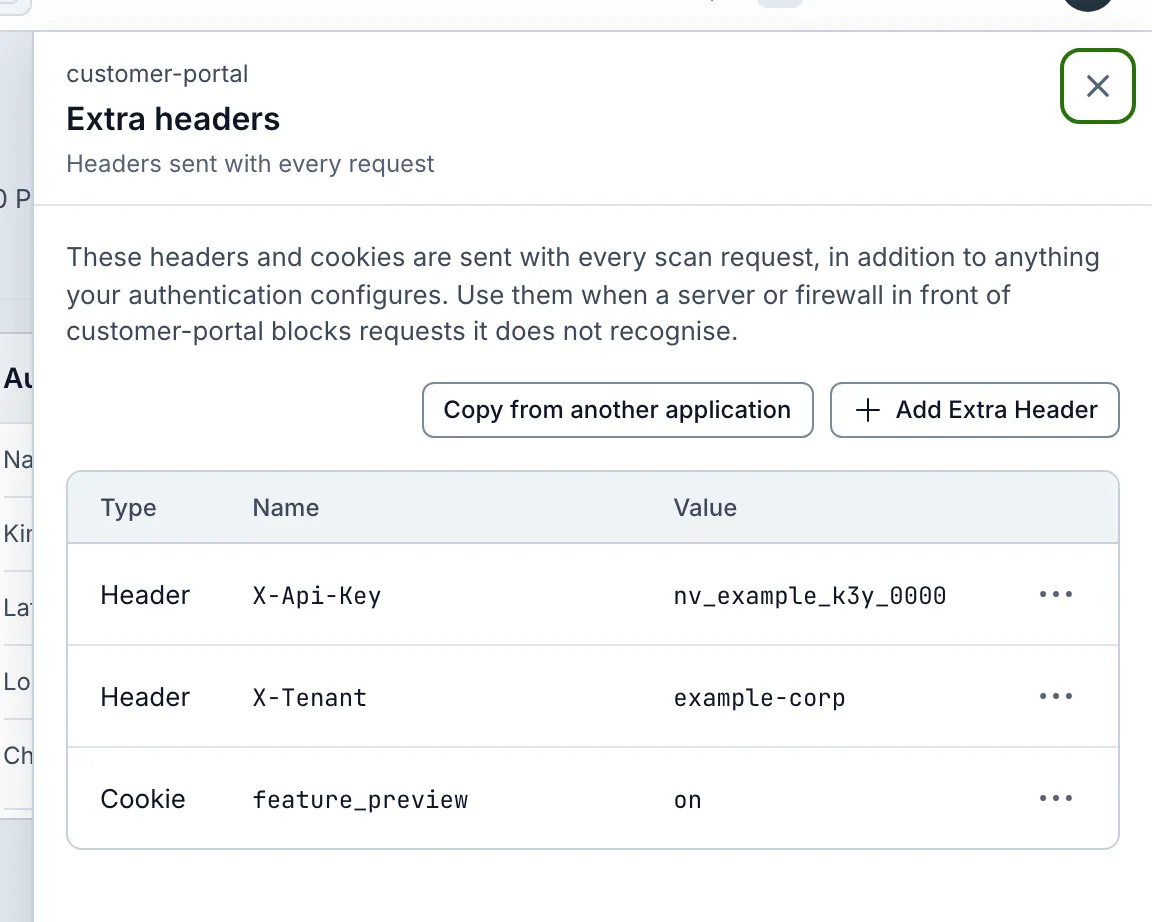
To change or remove one, open its row menu and select Edit or Delete. Edit changes the name and the value. The type stays as it was.
Copy from another application
Section titled “Copy from another application”If several applications in a project need the same headers, copy them.
- Open the Extra headers panel of the application you are copying to.
- Select Copy from another application.
- Search for and select the source application. Only other web and API applications in the same project are listed.
- Tick the headers and cookies to copy. A row is unavailable when this application already has the same entry, or has one with the same name and a different value.
- Select Copy. The button shows how many you ticked.
The copies are independent. Changing one application’s header later does not change the other’s.
How they are sent
Section titled “How they are sent”- Extra headers go out with every request the scan makes: the crawl, the active checks and any re-sent requests.
- They are added alongside the headers and cookies of the scan’s authentication.
- A cookie is sent for the host of the application’s URL. A cookie on an application at
https://app.example.com/goes out on requests toapp.example.com. - They apply to every scan of the application: started by hand, scheduled, or started from a pipeline. There is nothing to set on the scan itself.
Limits
Section titled “Limits”| Rule | Value |
|---|---|
| Name length | Up to 255 characters |
| Value length | Up to 4,096 characters |
| Uniqueness | One entry per type and name on an application |
| Reserved names | A few header names that NightVision uses itself are refused |
From the API
Section titled “From the API”The API calls an application a target.
| Task | Endpoint |
|---|---|
| List an application’s extra headers | GET /api/v1/extra-headers/?target=<id> |
| Add one | POST /api/v1/extra-headers/ with target, type (HEADER or COOKIE), name and value |
| Change or delete one | PATCH or DELETE /api/v1/extra-headers/{id}/ |