

Authentication
Headers and cookies
Use a header or cookie header authentication when the application accepts a fixed value instead of a login flow: a bearer token, an API key, or session cookies you already hold. NightVision attaches the values to every request of the scan. There is no login step, so there is nothing to record.
In the dashboard: Authentications
Open Authentications (opens in a new tab)Pick a value that outlives the scan. A token that expires in fifteen minutes leaves most of the scan signed out. If the application issues short-lived tokens from an endpoint, request a fresh one before each scan, as in Authenticate an API in a pipeline. If it only issues short-lived browser sessions, use a recorded login instead.
Create a header authentication
Section titled “Create a header authentication”- Select Authentications, then New authentication.
- Choose the Project.
- Under Authentication type, select Header authentication.
- Enter an Authentication name and an optional Description.
- Under Headers, enter a Header name and a Header value, for example
AuthorizationandBearer <token>. The value is masked as you type. - Select Add another for each further header.
- Select Create.
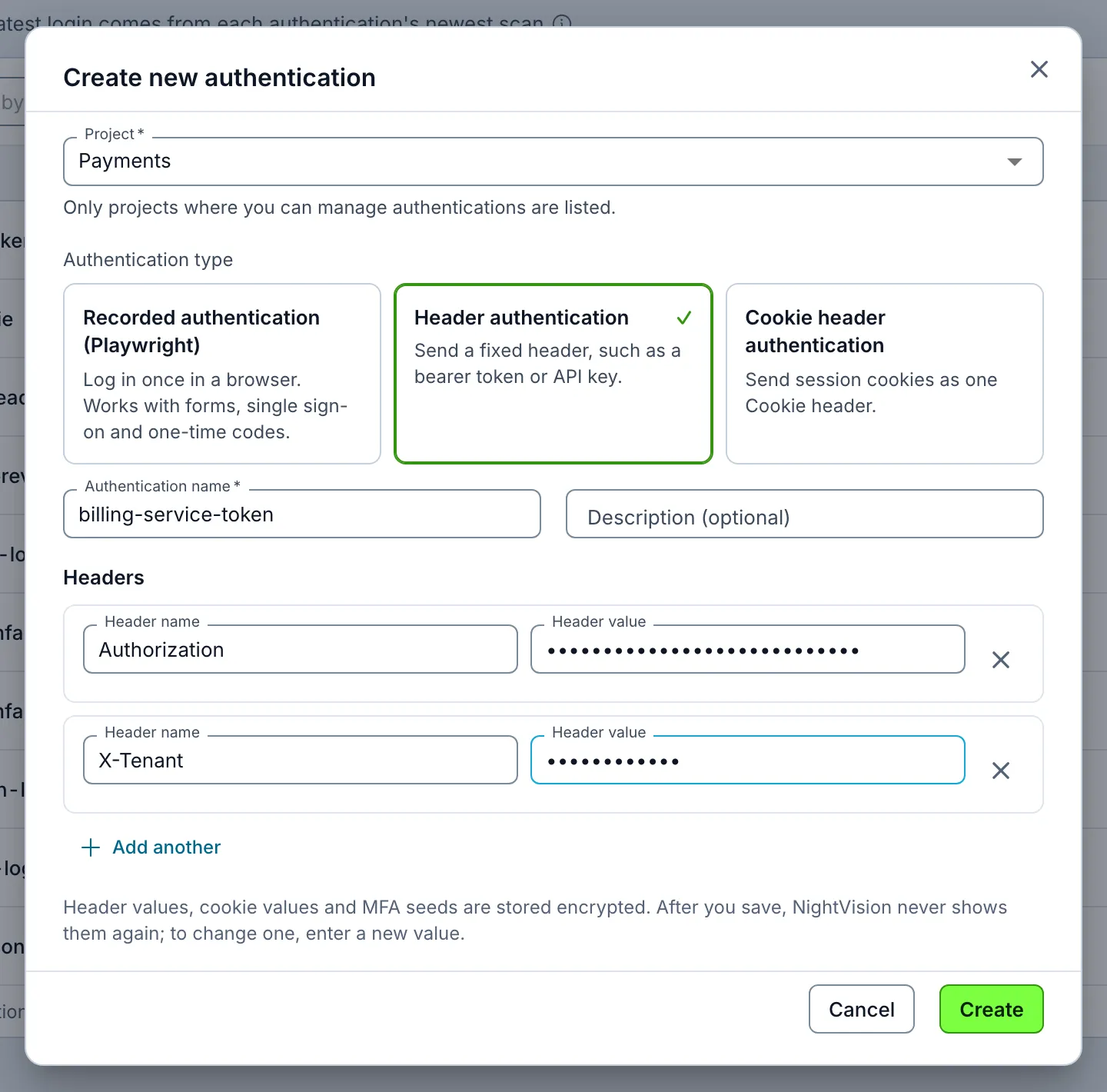
Create a cookie header authentication
Section titled “Create a cookie header authentication”- Select Authentications, then New authentication.
- Choose the Project.
- Under Authentication type, select Cookie header authentication.
- Enter an Authentication name and an optional Description.
- Under Cookies, enter a Cookie name and a Cookie value. Select Add another for each further cookie.
- Check the preview under This Authentication will add the following header. It shows the single
Cookieheader NightVision sends, with the values masked. - Select Create.
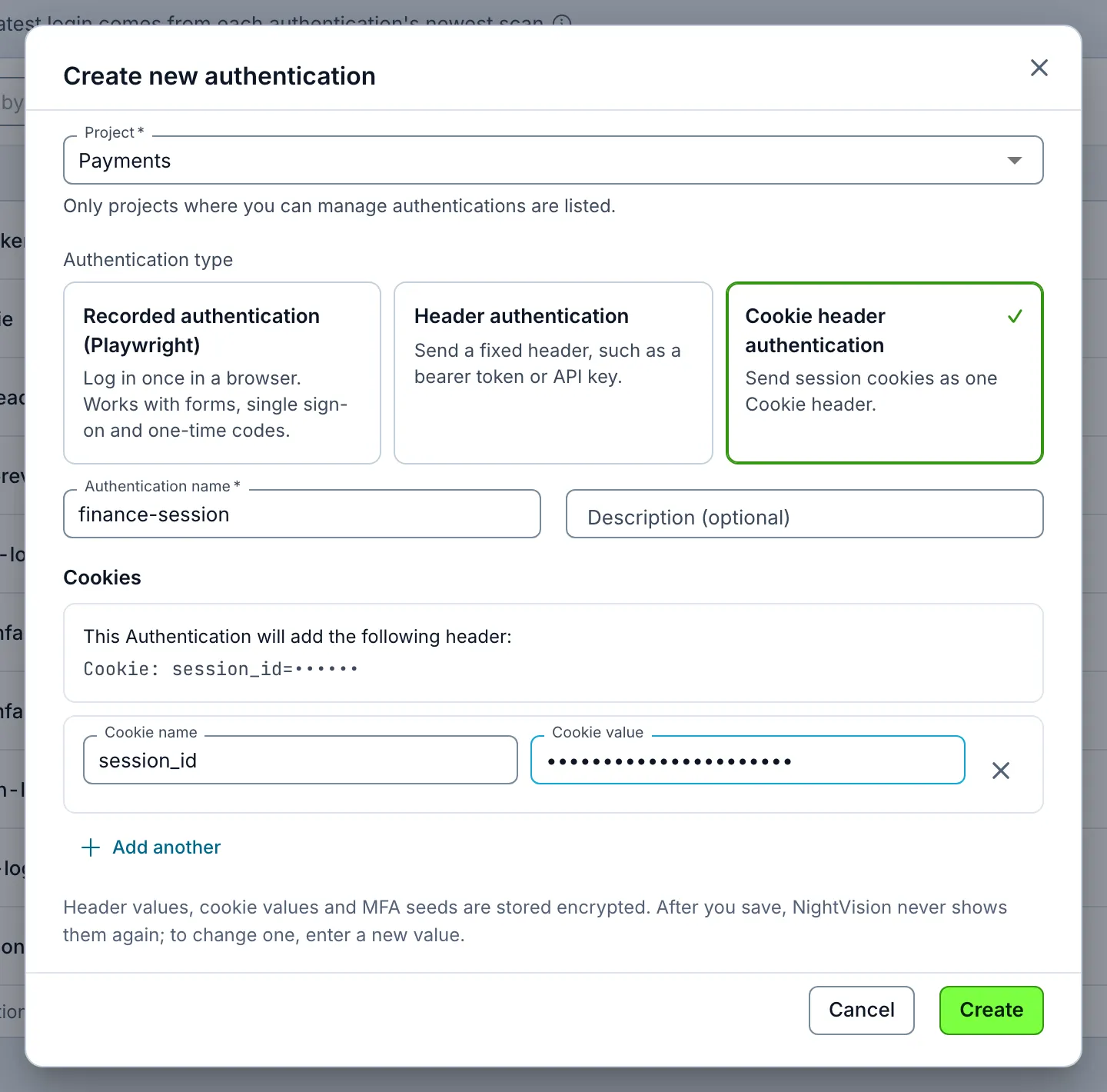
All the cookies go out together as one header, for example Cookie: session_id=...; csrf_token=....
The dashboard stores this as a header authentication that holds one Cookie header, so its type reads Header in the list. To change it later, select Update values and enter the whole cookie string as the new value of the Cookie header. A cookie authentication created with the CLI reads Cookie header and keeps one row per cookie. Both behave the same in a scan.
After you create either type, assign it to an application.
See and replace stored values
Section titled “See and replace stored values”Open the authentication and select Stored values and settings. NightVision lists the header or cookie names. Each value reads Not shown, because stored values are encrypted and never displayed again.
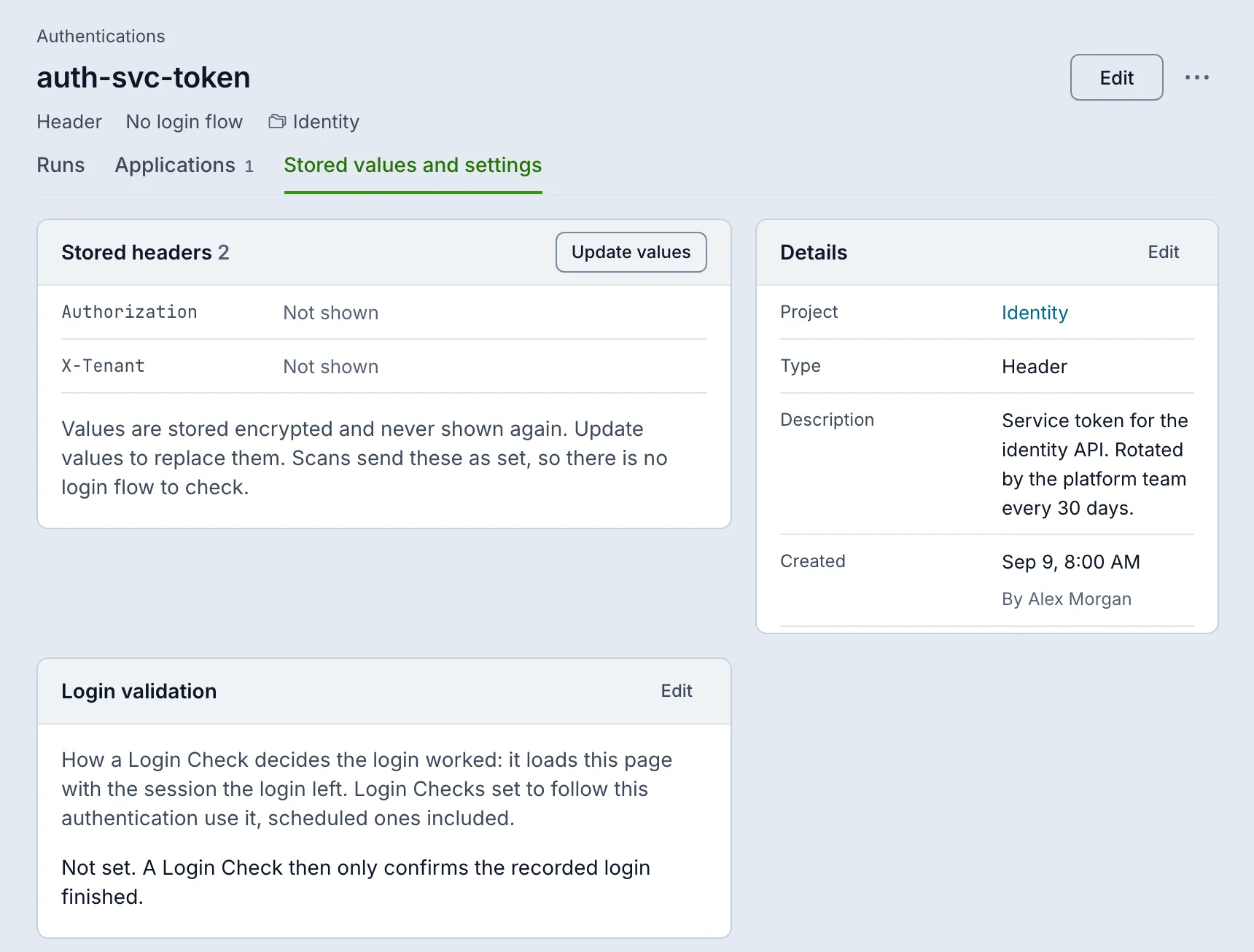
To rotate a token or change the set:
- Select Update values.
- Enter a new value for the header or cookie you want to replace. Leave a value blank to keep the stored one.
- Add or remove rows as needed, then select Update.
Applications that use the authentication pick up the new values on their next scan.
What to expect in the dashboard
Section titled “What to expect in the dashboard”- Latest login reads No login flow. There is no login to check, so header and cookie authentications have no login status, no screenshots and no Run login check button.
- The Runs tab lists the scans that used the authentication.
- If the token is wrong or has expired, the scan still runs but the application answers as it would to a signed-out user. Watch for a scan that finds far fewer pages or endpoints than you expect, and check its coverage.
From the CLI
Section titled “From the CLI”Create a header authentication with one -H per header, written as Name: value:
nightvision auth headers create my-api-token \ -H "Authorization: Bearer <token>" \ -H "X-Tenant: example-corp" \ --description "Service token for the payments API"Create a cookie header authentication the same way. Each -H is one cookie, written as name: value:
nightvision auth cookies create my-session \ -H "session_id: <value>" \ -H "csrf_token: <value>"Update either one by name. The headers or cookies you pass replace the stored set:
nightvision auth headers update my-api-token -H "Authorization: Bearer <new token>"nightvision auth cookies update my-session -H "session_id: <new value>"| Flag | What it does |
|---|---|
-H, --headers |
One header or cookie. Repeat the flag for more. Required on create |
-d, --description |
Sets the description |
-n, --name |
On update, renames the authentication |
-p, --project or -P, --project-id |
The project. Without it the CLI uses the project you set with nightvision project set |
Then scan with it:
nightvision scan my-api --auth my-api-tokenFrom the API
Section titled “From the API”| Task | Endpoint |
|---|---|
| Create a header authentication | POST /api/v1/credentials/header/ with project, name and headers, a list of {"name": ..., "value": ...} |
| Create a cookie header authentication | POST /api/v1/credentials/cookie/ with project, name and cookie, a list of {"name": ..., "value": ...} |
| Read or update | GET and PUT /api/v1/credentials/{id}/ |
A read never returns stored values. Each comes back as a placeholder, and sending that placeholder back on an update keeps the stored value.