

Findings
SLA policy and overdue findings
An SLA policy says how many days a finding of each severity may stay open. NightVision counts from the day the finding was first seen, then shows which findings are due soon, which are overdue, and how quickly your teams fix them.
In the dashboard: SettingsGeneral
Open General (opens in a new tab)There is one policy per organization. Everyone in the organization can read it. Org Admins can change it.
Set days to fix per severity
Section titled “Set days to fix per severity”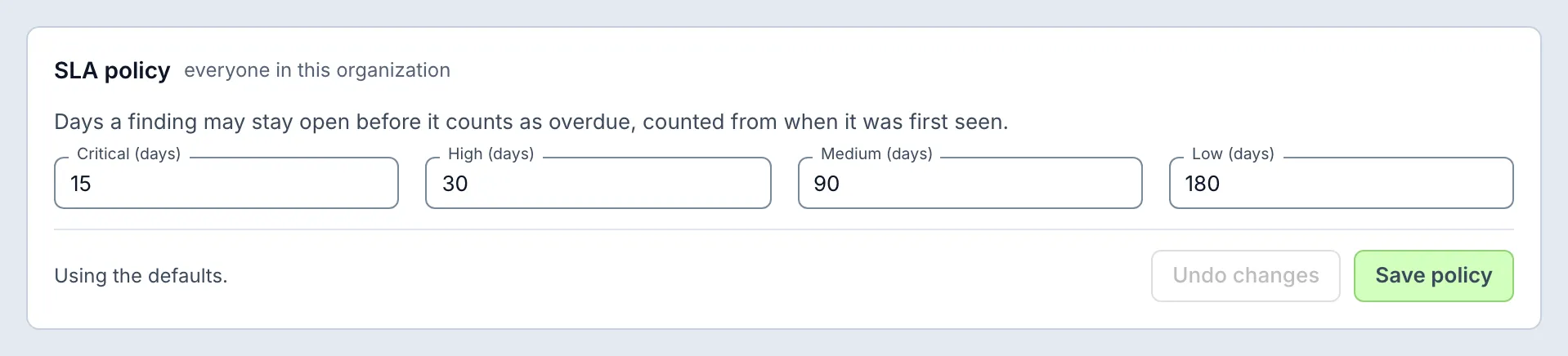
- Go to Settings and open General.
- In SLA policy, enter the days for Critical, High, Medium and Low. Each value is a whole number from 1 to 3650.
- Select Save policy.
Until an admin saves a policy, the defaults apply:
| Severity | Days to fix |
|---|---|
| Critical | 15 |
| High | 30 |
| Medium | 90 |
| Low | 180 |
Info findings have no limit and are never overdue.
A new policy takes effect at once and applies to every open finding, including ones found before the change. The card shows when the policy was last changed. If you are not an Org Admin, the fields are read-only.
How overdue is counted
Section titled “How overdue is counted”- The clock starts when the finding was first seen on the application, in any scan. It does not restart with each new scan.
- A finding is overdue when it has been open for more than the days its severity allows. A finding exactly on its limit is not overdue yet.
- Only findings that count as open have a due date. That includes findings marked resolved that a scan still detects. Findings marked false positive or won’t fix have none.
- A finding with no first-seen date yet is open but never overdue.
See what open, resolved and fixed mean.
Where due dates show
Section titled “Where due dates show”Wherever a finding’s status shows, its standing against the policy shows beside it:
- Due in 5 days, in muted text, while the finding is inside its limit.
- Overdue by 14 days, as a highlighted chip, once it is past it.
You see this on the finding page in the Context panel beside First found, in the Overview side panel beside the status, and in the Status column of the finding type page.
Find overdue findings
Section titled “Find overdue findings”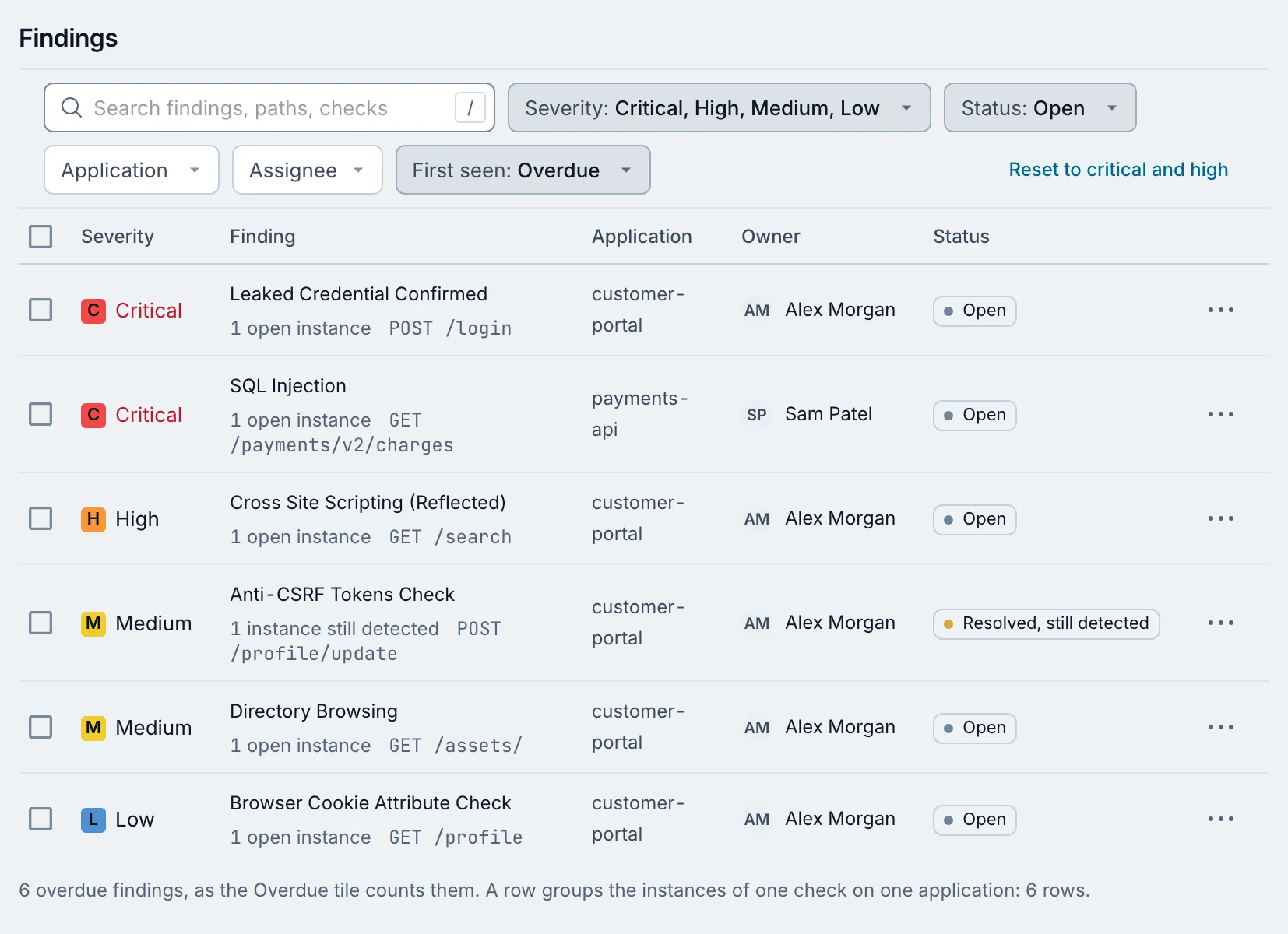
- Go to the Overview.
- In the findings table, open First seen and choose Overdue.
Or select the number on the Overdue tile, which opens the same list for every severity from Critical to Low.
The note under the table gives the total as the Overdue tile counts it. A row groups the instances of one check on one application, so there can be fewer rows than findings. Combine the filter with Severity, Application or Assignee to narrow the list. The link in your address bar keeps the filters, so you can share it.
Service-level tiles
Section titled “Service-level tiles”
Four tiles sit under the headline on the Overview, and on each project page. They follow the project scope in the top bar.
| Tile | What it counts |
|---|---|
| Overdue | Open findings that have stayed open longer than your policy allows for their severity. The line below splits them into critical, high and other. |
| Mean time to fix | The average time from first seen to fixed, for findings fixed in the last 90 days. A finding that was fixed, came back and was fixed again is timed from when it came back. |
| Oldest open critical | The critical finding that has been open the longest. Select its name to open it. |
| Fixed late (90 days) | Findings fixed in the last 90 days after their limit had passed. |
“Fixed” here means a later scan no longer detected the finding. Marking a finding resolved does not count.
A tile reads No dates yet when some findings have no first-seen date, so a zero would not be reliable.
In exports and the API
Section titled “In exports and the API”- Findings in this list (CSV) from the Overview includes the columns
First seen,Age (days),SLA dueandOverduefor each finding. - Summary (CSV) includes the overdue counts by severity, mean days to fix, findings fixed after their limit, and the oldest open critical.
See Reports and exports.
From the API:
GET /organization/sla-policy/reads the policy, andPUT /organization/sla-policy/saves it. See Findings, History and SLA Policy.GET /statistic/sla/returns the numbers behind the tiles, with mean time to fix per severity. See Reporting.GET /issues/?overdue=truelists overdue findings.