

Scope Control
URL Paths Scanned
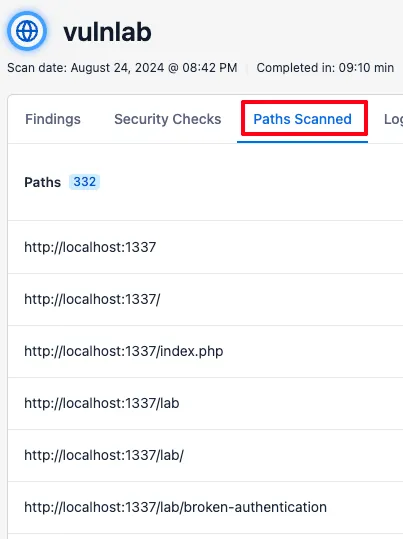
Section titled “URL Paths Scanned”These settings determine which URLs are in scope for your target. You can see which URL paths were visited/crawled during a scan by going to the Paths Scanned tab within your scan.
Including URLs
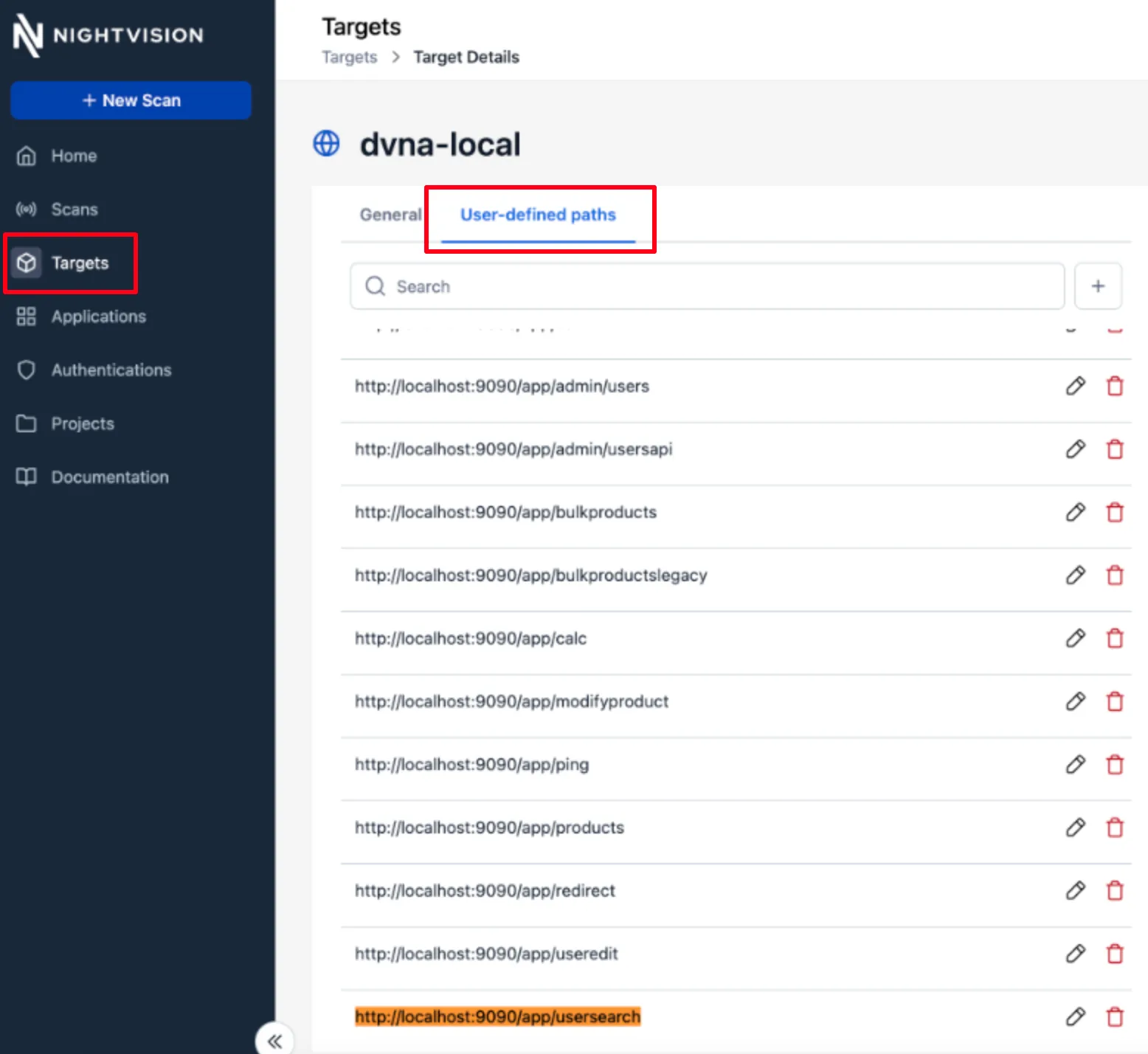
Section titled “Including URLs”If you notice that a URL path is not being included in your scan, you can add it as a User-defined path directly to your target.
Note: You can use arrow keys to quickly navigate through steps in the interactive demo below.
(1) Add paths to the target
Section titled “(1) Add paths to the target”You can navigate to Targets in the sidebar, select a target, and then click on User-defined paths to force-include a URL that a scan might have missed.
(2) Run the scan
Section titled “(2) Run the scan”Now that you’ve added the user-defined paths, you can re-run the scan against the target.
(3) Observe the scanned URLs
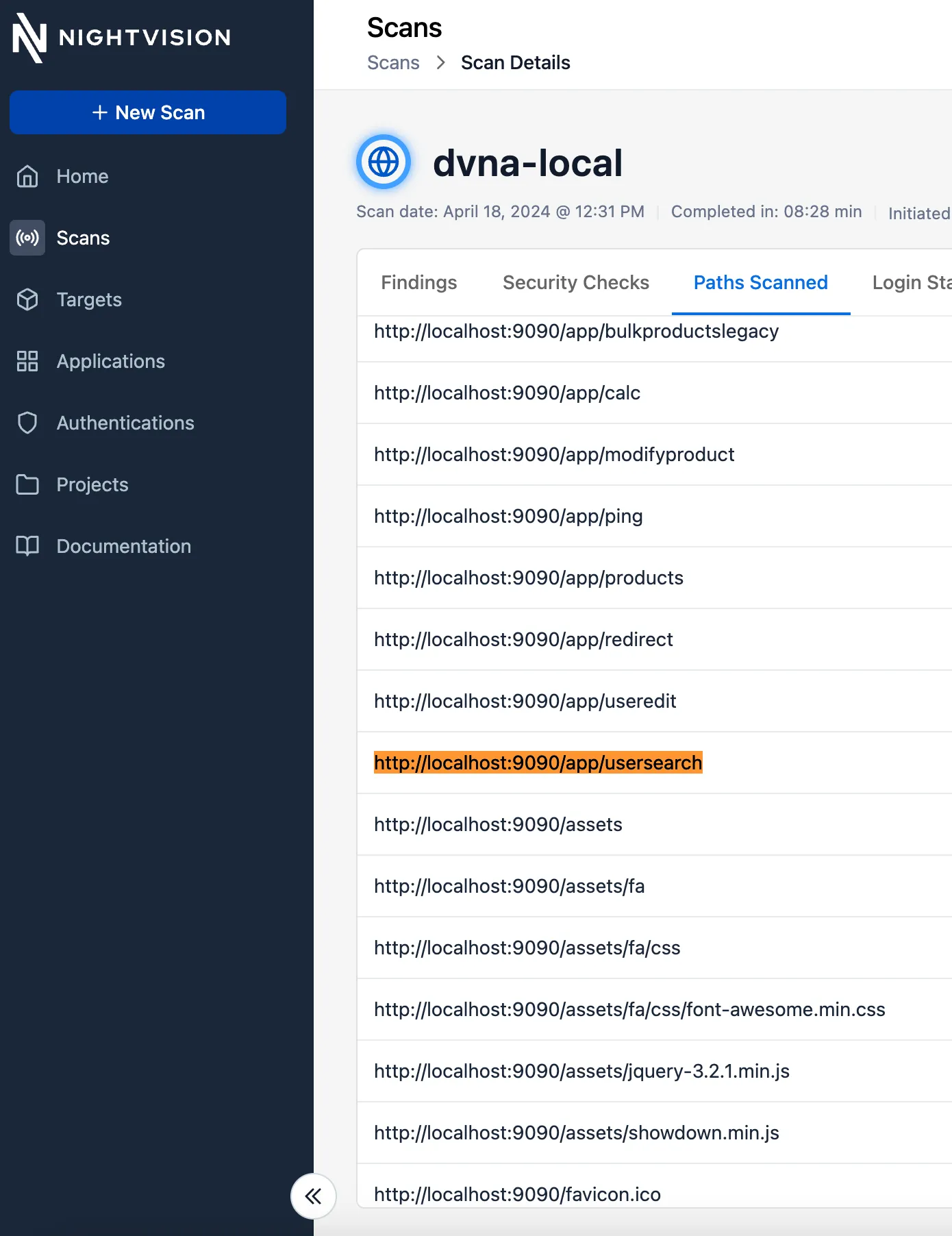
Section titled “(3) Observe the scanned URLs”After the scan runs, you can see that the URL was visited by the scanner.
Excluding URLs
Section titled “Excluding URLs”If you do not want specific URL paths scanned, add a URL Path Exclusion to ensure the scan does not touch these endpoints.
Note: You can use arrow keys to quickly navigate through the steps in the interactive demo below.
Add Exclusions
Section titled “Add Exclusions”To add exclusions on existing applications
- Start a New Scan as shown in the prior guides.
- For the Web app and API scans, select the appropriate Project and Target.
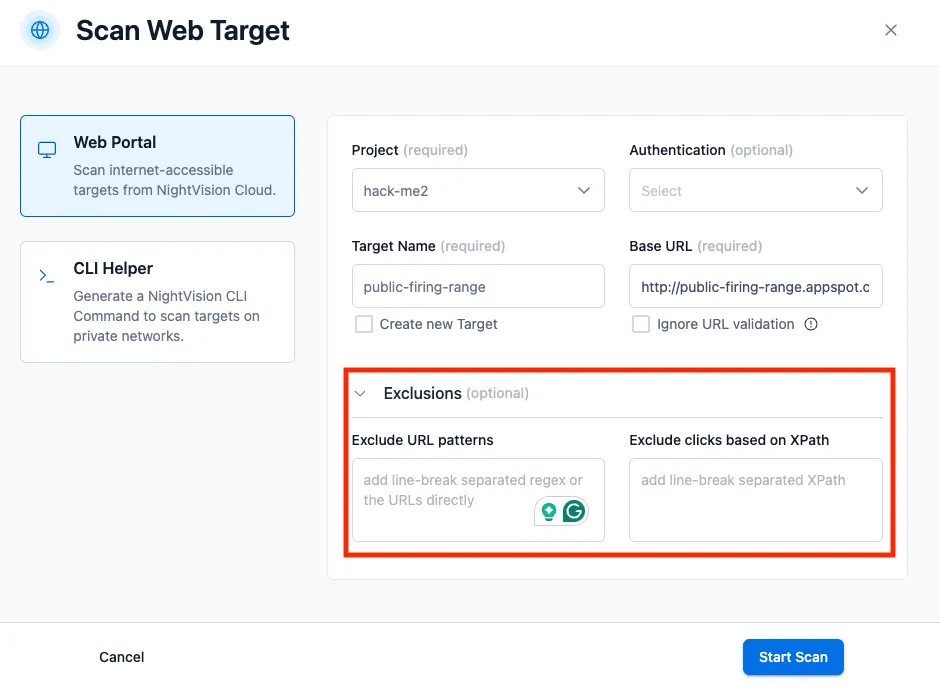
- Expand the Exclusions drop-down menu.
- For URLs to be excluded, add the URL to the Exclude URL patterns textbox. To add multiple URLs, separate them by line breaks.
- For clicks to be excluded, add the XPath to the Exclude clicks based on XPath textbox. To add multiple XPaths, separate them by line breaks.
Exclusion Regex Patterns
Section titled “Exclusion Regex Patterns”You can exclude an exact path by entering that path:
http://g00gle.comTo exclude every page that begins with a particular path, you can enter the following:
http://g00gle.com*