

Projects
Projects are collections of Targets, DAST Scans, and Authentication resources that can be shared with other team members.
Creating a Project
Section titled “Creating a Project”Through a project, you can create a collection of apps, targets, and scans to share with your team members.
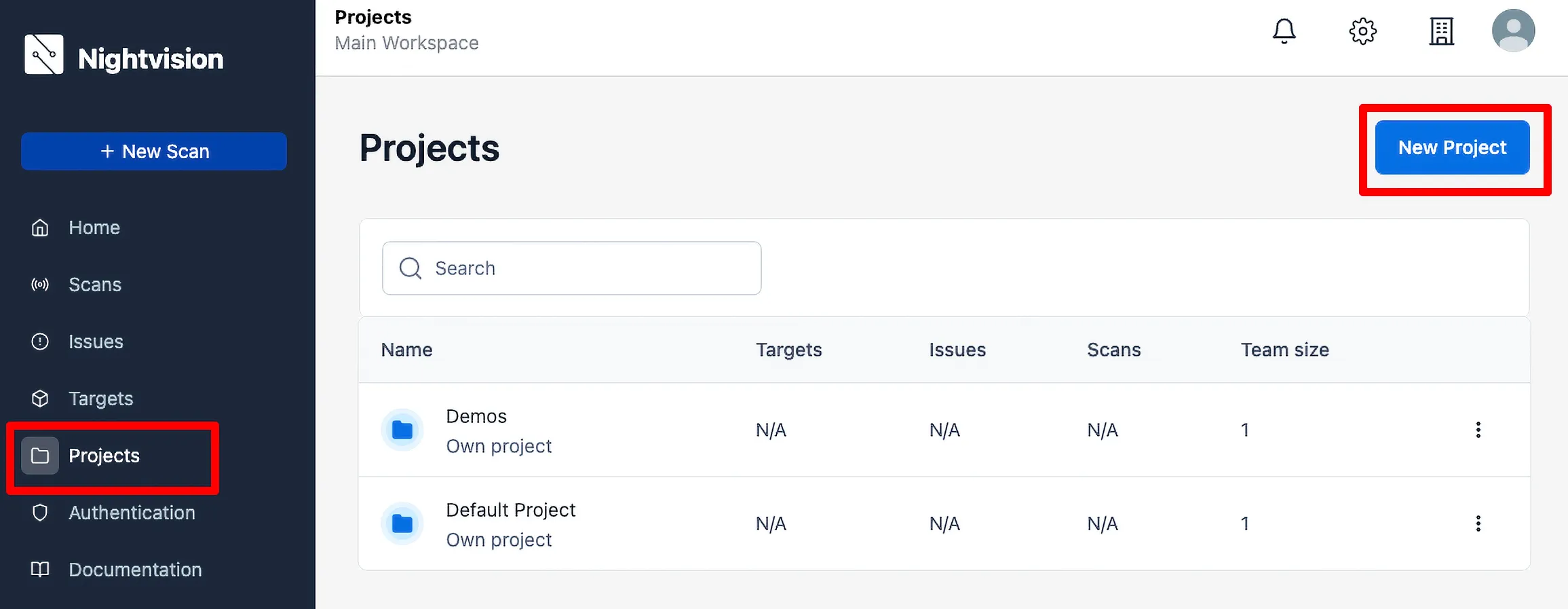
- Click on Projects in the side panel.
- Click the New Project button.
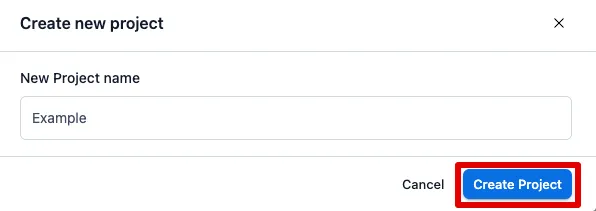
- Give the project a name, then click Create Project.
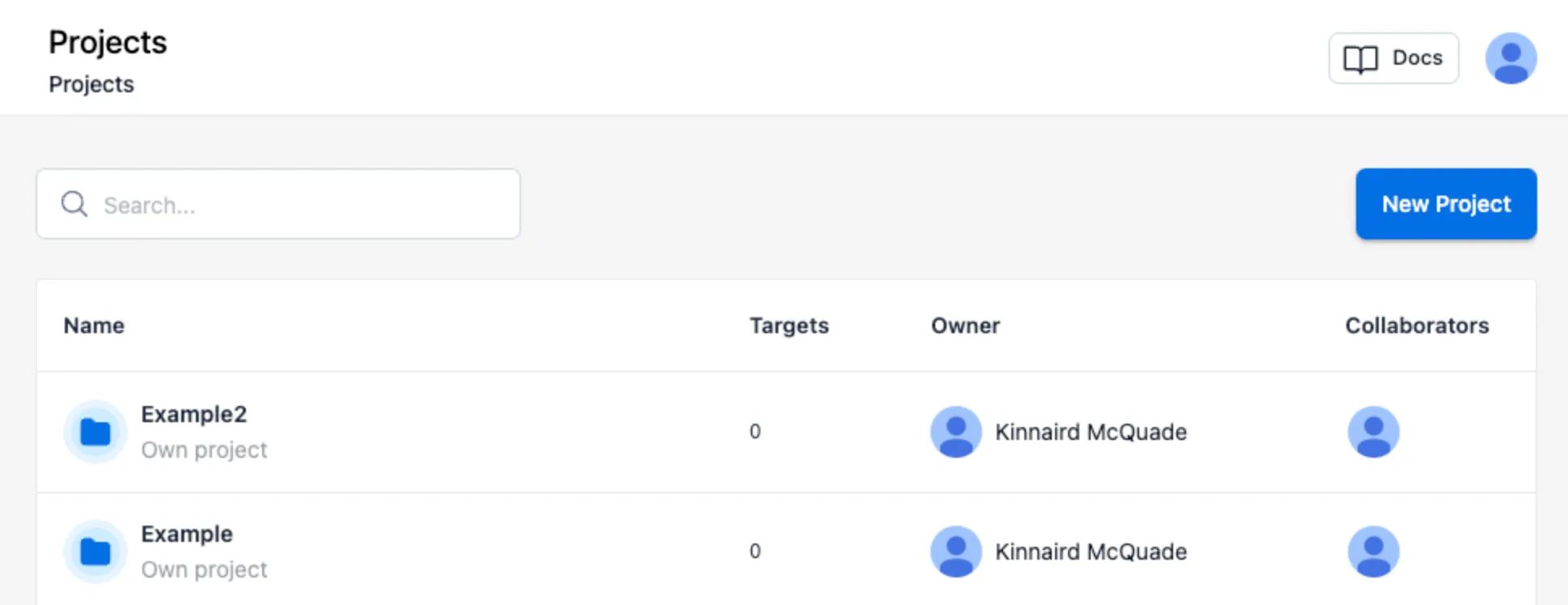
Sharing a Project
Section titled “Sharing a Project”You can share your scans with others by adding them to the Project.
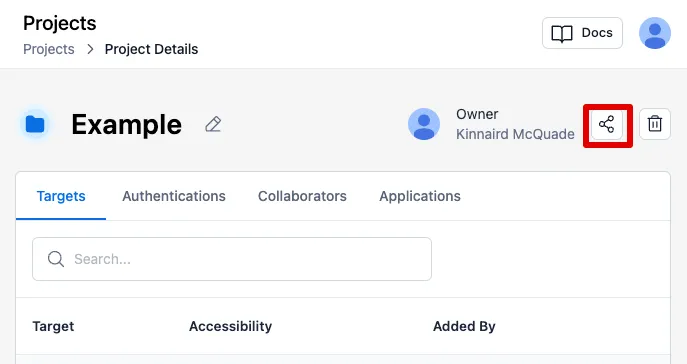
- Select the project from the list of Projects.
- Click on the Share Icon.
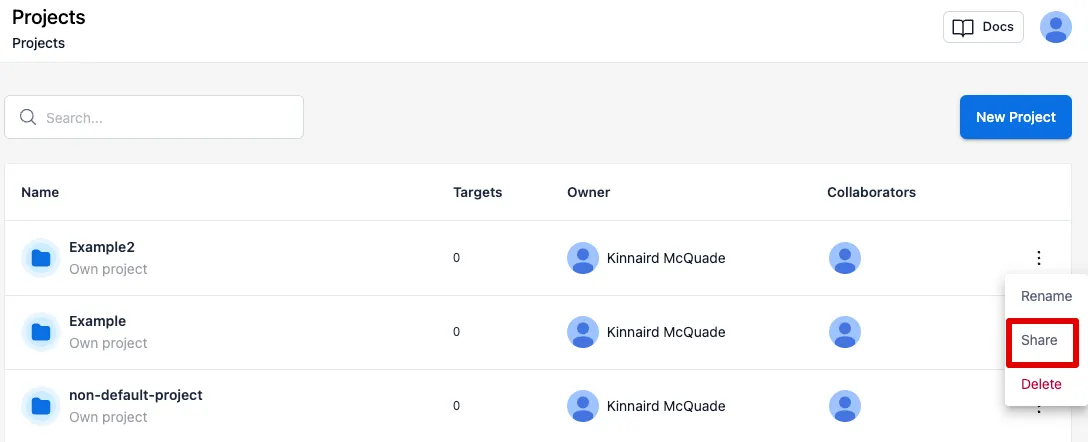
- Alternatively, you can select the hamburger dots on the right side of the Projects row in the list of projects and click Share.
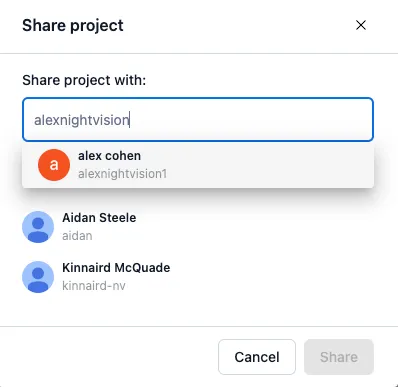
- In the modal, you can enter a user’s email address, name, or username. This will send them an email notification that the project has been shared with them.
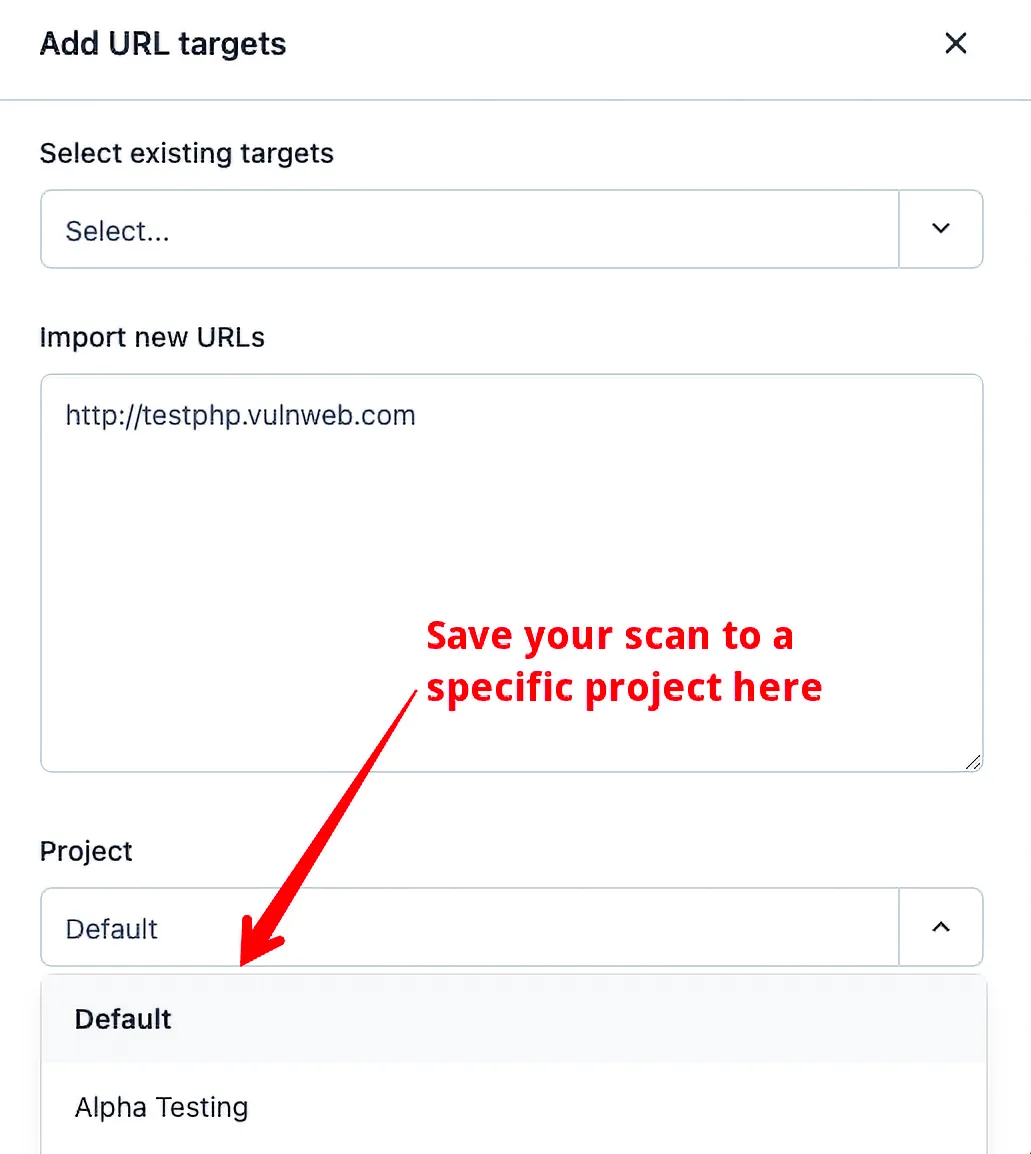
- When you create a Target, Authentication Resource, or Scan, you can save it to a specific project. If you don’t specify a project, it will save it to the default project.
- If the user has access to that project, the results will be visible to them in the NightVision dashboard.