

Smart Proxy (Private Networks)
Unlike Attack Surface Management tools that only scan internet-accessible sites, NightVision can scan targets in private networks. We do this with our Smart Proxy architecture, baked into NightVision’s command line interface (CLI).
Smart Proxy Architecture
Section titled “Smart Proxy Architecture”When a user requests a scan from the command line, it triggers scans that run as headless browsers running out of serverless functions in AWS. We tunnel those requests through our Smart Proxy, which the command line connects to, and the requests are sent over the command line to the target.
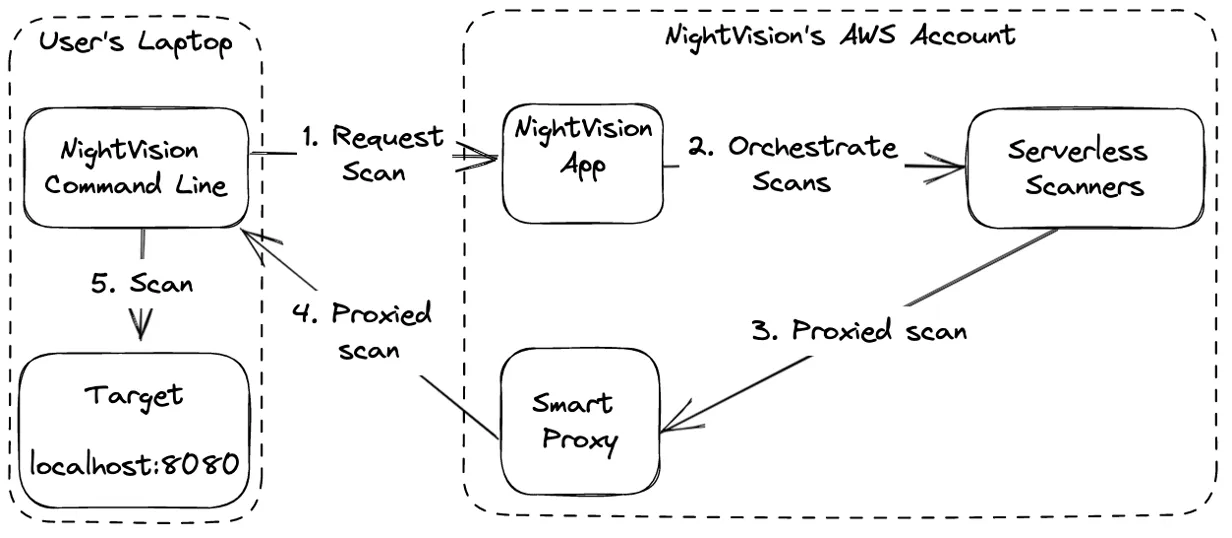
With this architecture, our headless browsers in the cloud can crawl web applications and simulate attacks on applications or APIs hosted on any private network! For example, NightVision can scan targets on:
✅ Localhost
✅ Docker
✅ Kubernetes
✅ Staging environments
✅ Corporate Data Centers
Example Deployment Scenarios
Section titled “Example Deployment Scenarios”Web App on localhost:3000 from CI/CD
Section titled “Web App on localhost:3000 from CI/CD”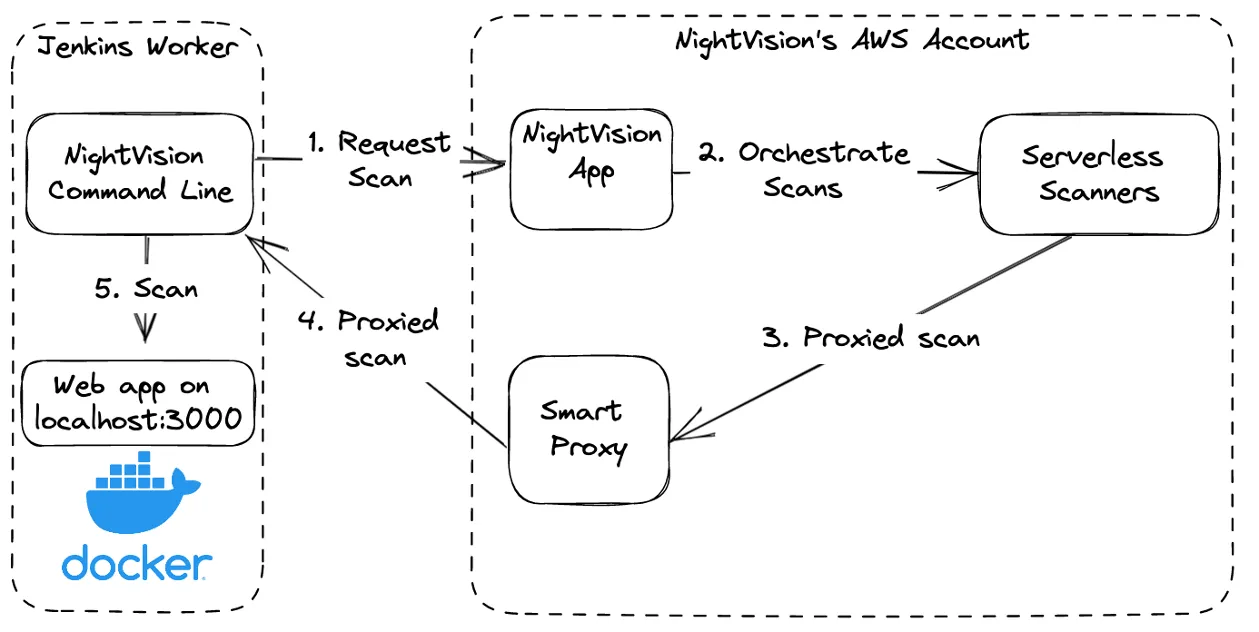
The above example is modified to demonstrate a scenario where the target application runs as a Docker container on http://localhost:3000. NightVision can scan this application by running the following command:
URL="localhost:3000"APP="local-host"TARGET="local-host"nightvision target create $TARGET $URLnightvision scan $TARGETREST API Service in a Kubernetes Cluster
Section titled “REST API Service in a Kubernetes Cluster”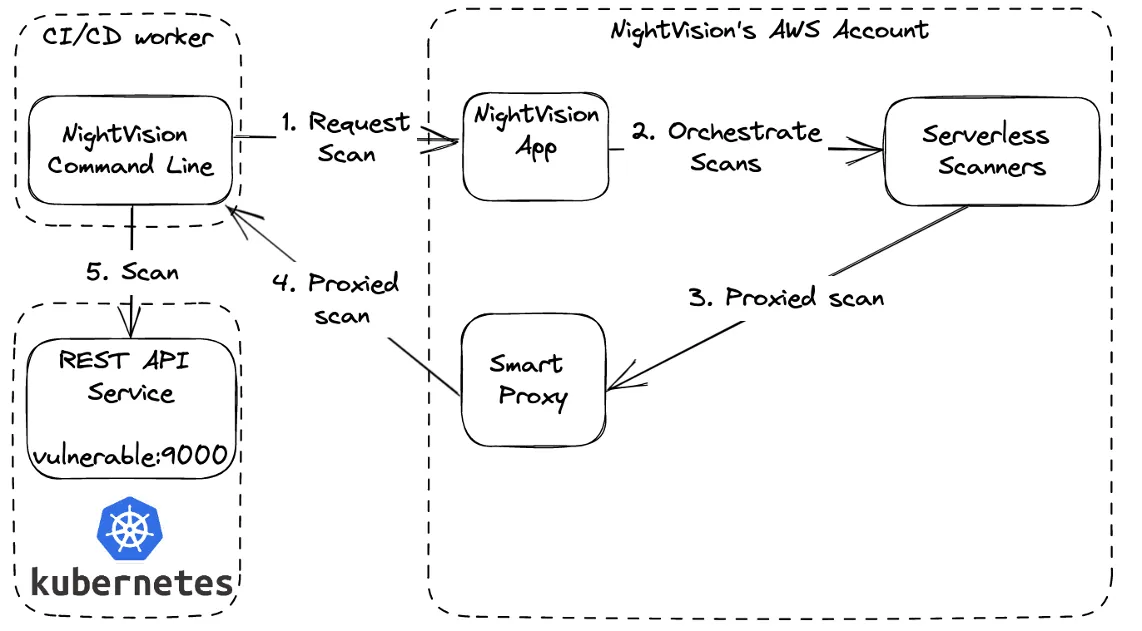
Consider a scenario where the target application called insecure is running in a Kubernetes cluster under the prod namespace. NightVision can scan this application by running the following command:
URL="insecure.prod:443"TARGET="insecure-prod"nightvision target create $TARGET $URLnightvision scan $TARGETREST API in a Datacenter
Section titled “REST API in a Datacenter”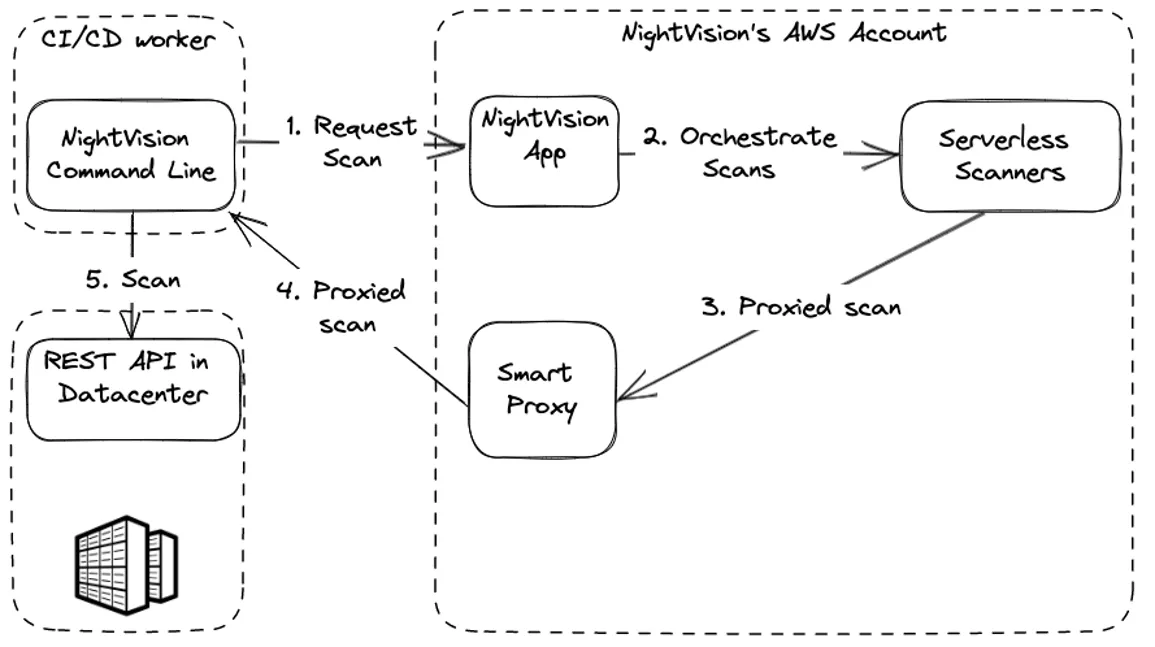
The above example is modified to demonstrate a scenario where the target application runs on a server deployed in a corporate data center with the address http://vuln.api.internal:8080. NightVision can scan this application by running the following commands:
URL="http://vuln.api.internal:8080"TARGET="vuln-api"nightvision target create $TARGET $URLnightvision scan $TARGETInternet Accessible Targets
Section titled “Internet Accessible Targets”NightVision can also scan internet-accessible apps, like other DAST tools and Attack Surface Management (ASM) tools. When you run a scan through the NightVision app (https://app.nightvision.net), it will run directly from the serverless scanners without using the Smart Proxy.

As with the rest of the scan scenarios, the results can be viewed within the NightVision web application at https://app.nightvision.net. Results can also be queried via the REST API or command line or exported to SARIF format via the command line for integration with other tools, such as bug aggregation or ASOC platforms.