

Editing Authentication Scripts
Description
Section titled “Description”When part of a recorded authentication needs to change (a button was relabeled, for example) you can edit the Playwright script directly on the Authentication Details page without re-running the CLI recorder.
Editing in the browser is intended for small changes. For a fresh recording from scratch, use Interactive Logins through the CLI.
Open the editor
Section titled “Open the editor”- Navigate to Authentications and open the authentication you want to change. The script is shown in the Authentication Script panel with line numbers and Python syntax highlighting.
- Click Edit script in the panel header. The panel switches to an editable code area, and an Editing chip appears.
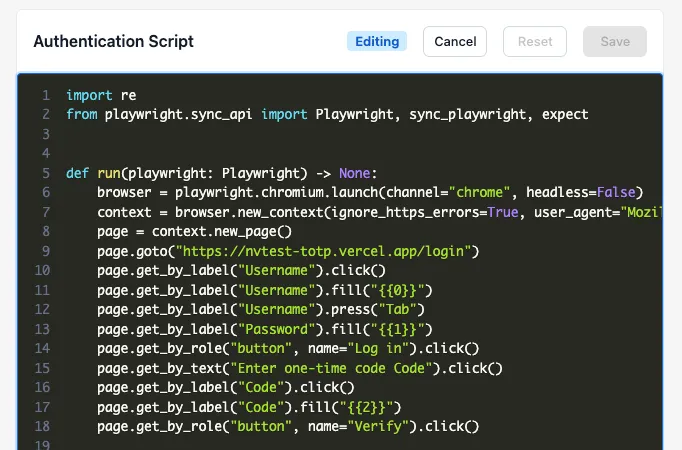
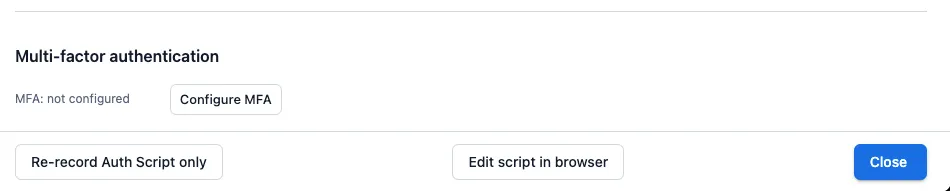
The editor can also be opened from the Edit script in browser button on Edit Authentication.
Make and save changes
Section titled “Make and save changes”Edit the script as plain Python. Click Save to make your changes available for the next scan that uses this authentication.
- Login URL. If your edit changes the first
page.goto(...)URL, the Login URL for the authentication updates to match. To change just the Login URL without touching the script body, use the Update button next to the Login URL field instead. - Placeholders. Lines such as
page.get_by_label("Password").fill("{{0}}")still substitute secrets from the encrypted vault at scan time. Removing a placeholder means that the corresponding secret will not be used during playback. - MFA configuration. Editing the line containing the MFA placeholder, if configured, will require you to reselect the placeholder via Configure MFA.
When to re-record instead
Section titled “When to re-record instead”Use the recorder (click Re-record Auth Script only on Edit Authentication to get the NightVision CLI command for re-recording with Playwright) instead of the in-browser editor when:
- The login flow has changed materially: a new identity provider, a redesigned login page, or new fields.
- You need to capture a fresh password or other secret value to fill in a placeholder.
The two flows are interchangeable on the same authentication; you can edit a recorded script and later re-record it, or vice versa.