

HAR file uploading
Enriching a scan with representative HTTP traffic is one technique to maximize scan coverage. A HAR (HTTP Archive) file contains all network interactions between the client (such as a browser) and a server, including cookies, headers, request/response bodies, and more.
While it is not strictly necessary to include HAR files in a NightVision scan, it can sometimes lead to higher quality results, particularly when certain pages are only accessible via complex business logic.
The HAR file only needs to be recorded once. The traffic will be included in all subsequent scans after it is attached to the scan target.
Instructions
Section titled “Instructions”To record traffic from the command line:
- First, create the traffic-example target:
nightvision target create traffic-example http://testhtml5.vulnweb.com/ --type web
- Enter the following command to record the HAR file. This will spin up a Chrome browser in your local environment. Fill out the form, then exit the browser.
nightvision traffic record traffic-example-form http://testhtml5.vulnweb.com/#/contact --target traffic-example --output traffic.har
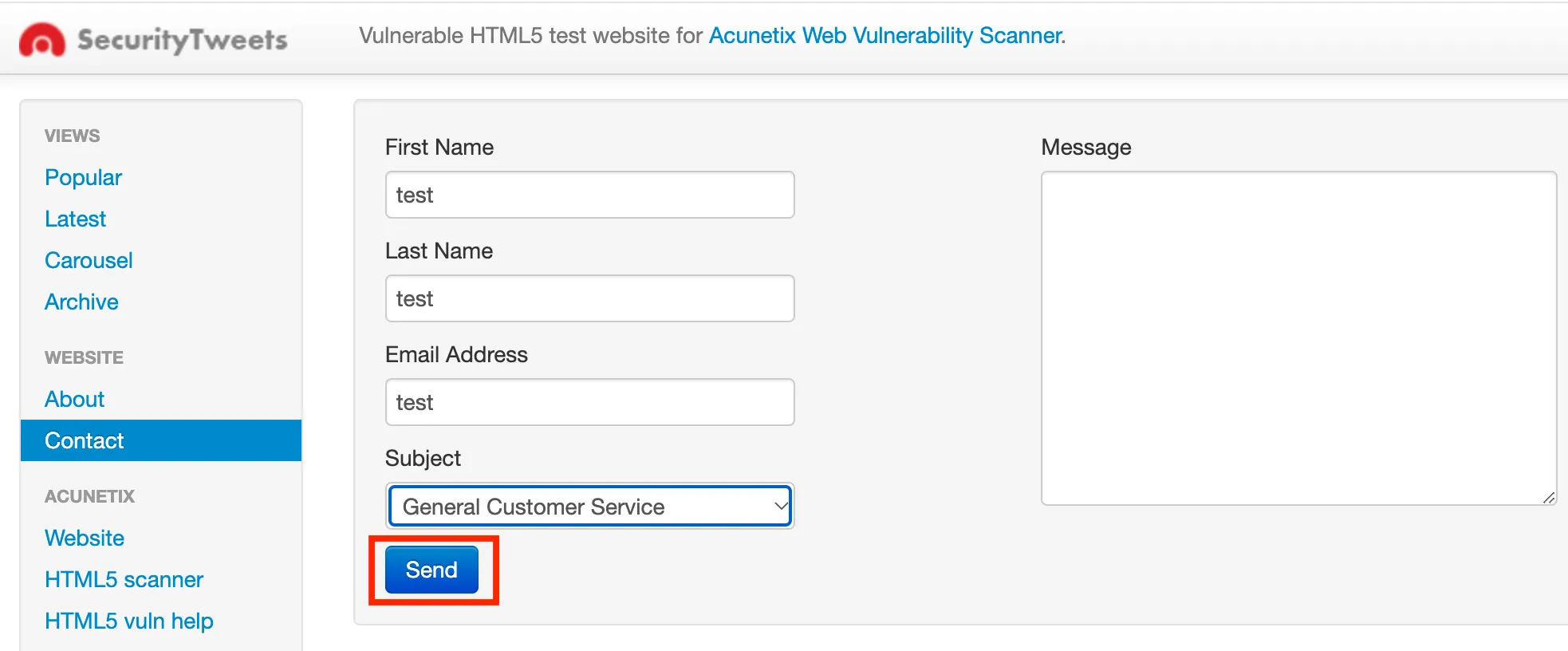 Chrome browser records the traffic
- Observe that the command is completed successfully. This means that the traffic has been uploaded to NightVision Cloud.
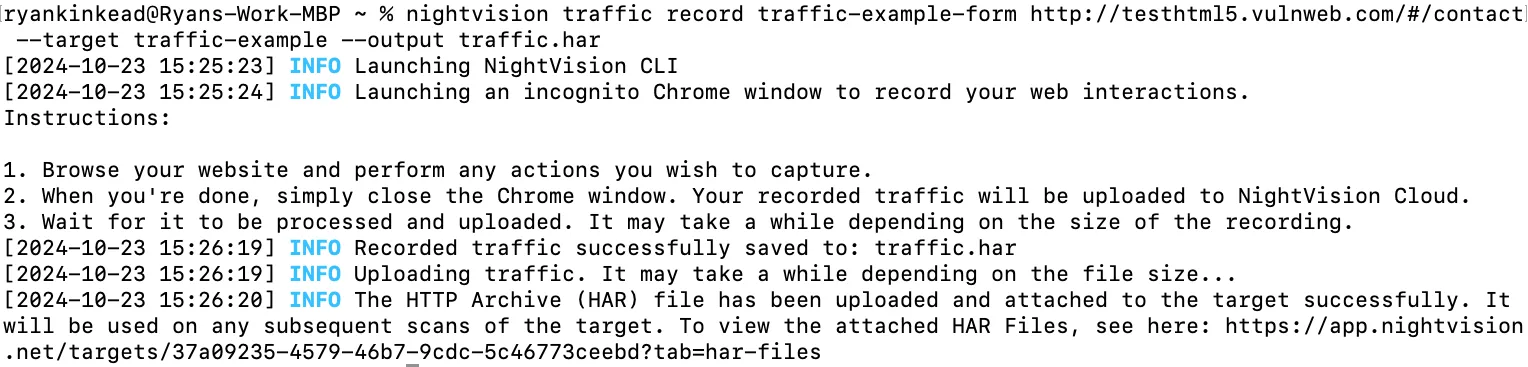 CLI showing the successful creation and upload of the HAR file
- If you visit the target in the browser, you will see that the traffic file was uploaded:
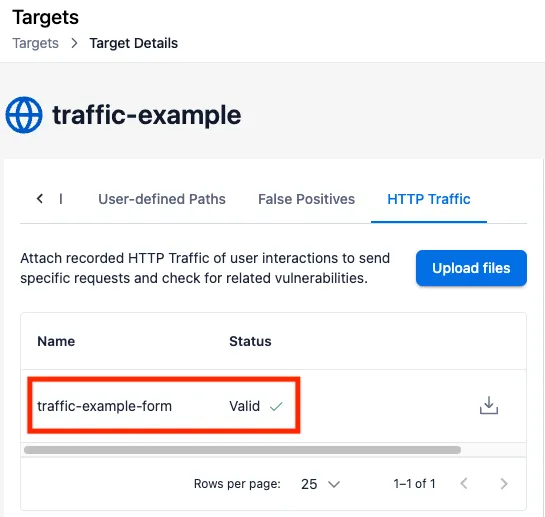 The traffic file successfully uploaded to the NightVision platform
- Note that any subsequent scans of this application will be enriched with this HAR file - ensuring higher coverage during your scan.